troubleshoot a used GPU with driver issues
Troubleshooting driver issues with a used GPU is a common challenge that buyers face, especially when dealing with older or previously overclocked graphics cards. Driver-related problems can lead to crashes, display glitches, artifacts, or poor performance. Resolving these issues requires a systematic approach to identify the root cause and apply the appropriate fixes. Whether you are using the GPU for gaming, rendering, or general computing, ensuring stable and compatible drivers is essential for optimal performance.
The first step in troubleshooting a used gpu with driver issues is to check for and install the latest drivers. Outdated or incompatible drivers can cause instability, crashes, or artifacts on the screen. To do this, visit the official website of the GPU manufacturer, such as NVIDIA or AMD, and download the latest driver compatible with the card model. It is important to avoid using drivers from third-party sites, as they may be outdated or potentially harmful. When installing the new driver, use the “Clean Install” option if available, which removes any old driver remnants that may conflict with the new installation.
If updating the driver does not resolve the issue, performing a clean driver installation using a tool like Display Driver Uninstaller (DDU) can help. DDU completely removes all traces of previous drivers, including registry entries and files, ensuring that the new driver installation is free from conflicts. After running DDU, restart the system in Safe Mode and install the latest driver. This process eliminates potential driver corruption, which is common in used GPUs that may have gone through multiple installations on different systems.
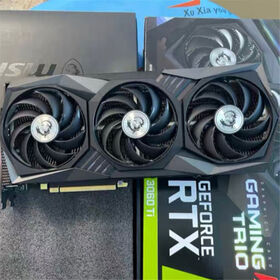
How do I troubleshoot a used GPU with driver issues?
Another troubleshooting method involves testing the used GPU in another system. If you are experiencing driver-related crashes, swapping the card into a different PC can help determine if the problem is specific to your system or the GPU itself. If the GPU works without issues on another system, the problem may lie with your motherboard drivers, power supply, or other hardware conflicts. Conversely, if the issue persists, it is likely related to the GPU or its drivers.
In some cases, driver issues on used GPUs stem from BIOS incompatibilities. If the card was previously used for mining or modded with a custom BIOS, it may cause driver recognition errors. Reflashing the BIOS to the original factory version using the manufacturer’s tool can resolve compatibility problems. However, BIOS flashing carries some risk, and it should only be performed by experienced users.
Shop online for wholesale used graphic card? Global Sources has a full-scale list of wholesale used graphic card products at factory prices featured by verified wholesalers & manufacturers from China, India, Korea, and other countries to satisfy all the requirements! When it comes to finding reliable manufacturers and distributors of used graphic card, it is important to look for those who provide comprehensive technical specifications and performance benchmarks for their products.
These specifications will cover important information like the Graphics Processing Unit (GPU) model, base and boost clock speeds, Video Random Access Memory (VRAM) capacity and type, memory bus width, and interface compatibility. Additionally, performance benchmarks will help to give you an idea of the card’s capabilities when it comes to graphics-intensive tasks like gaming and rendering. Taking the time to review these details will allow you to make an informed decision about which used graphic card will be best suited to your needs and system compatibility.